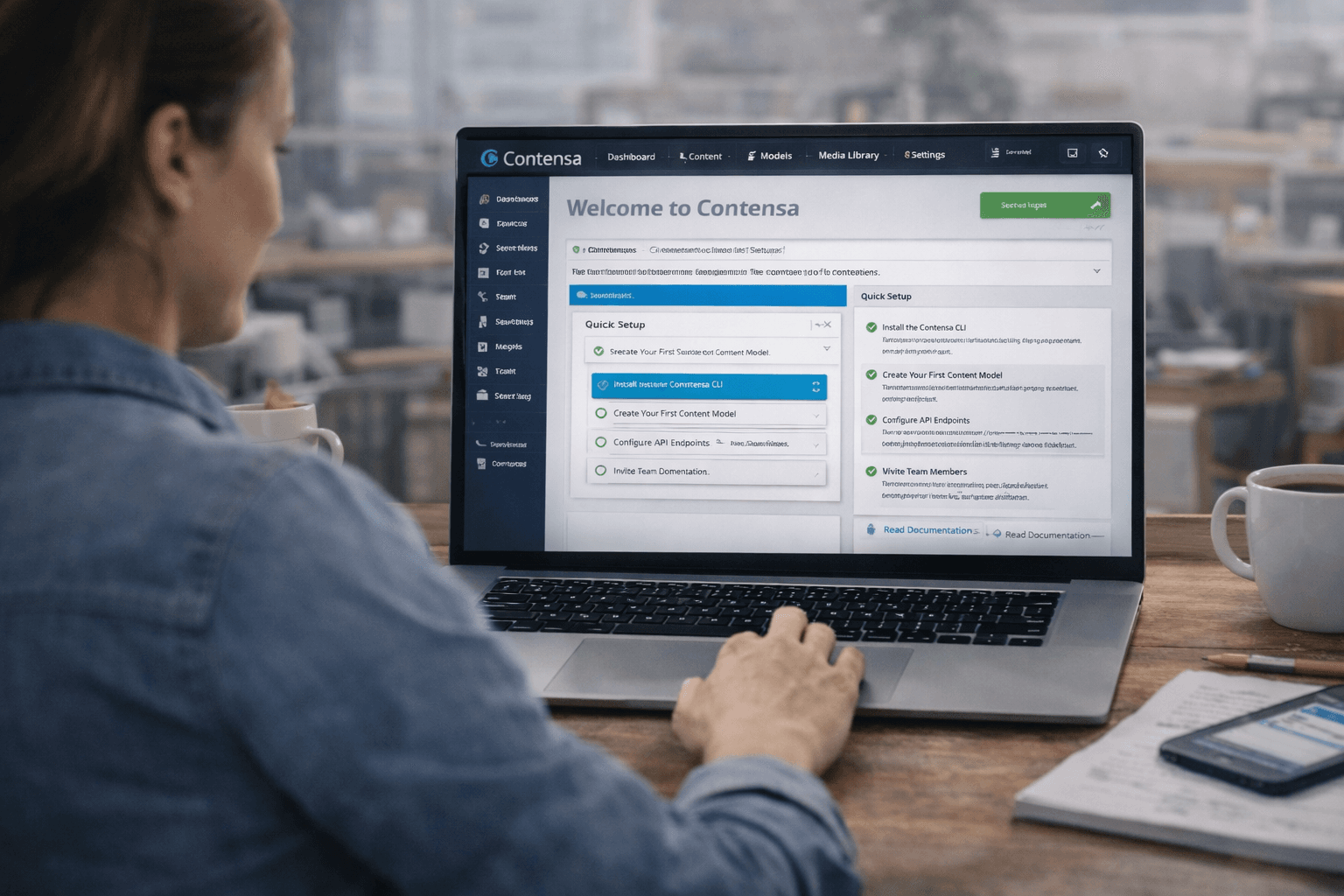
For business
Why Your CMS Is Slowing Down Your Dev Team (And What to Do About It)
Manual schema design, blocked developers, and content bottlenecks are costing your team weeks per project. Here's how modern teams are breaking the cycle.
•
7 min read
You keep hearing about headless CMS. Your developers want to use one. Here's what it actually means, why it matters, and how to decide if it's right for your project.
Emma Williams
Content Operations Lead

Your developer just told you they want to use a "headless CMS" for your new project. You nodded along, but you're not entirely sure what that means — or why it matters.
This guide is for you. No jargon. No assumed technical knowledge. Just a clear explanation of what a headless CMS is, why developers love them, and how to decide if one is right for your project.
You've probably used a traditional CMS before. WordPress is the most famous example. Squarespace, Wix, and Drupal are others.
Here's how a traditional CMS works:
The CMS does everything: stores the content, builds the pages, and delivers them to visitors. The content and the website are bundled together.
This works great for simple websites. But it has a fundamental limitation: the content is locked to one website.
In web development, the "head" refers to the frontend — the part users see and interact with. In a traditional CMS, the head is built into the CMS itself. WordPress builds your pages. Squarespace builds your pages.
This becomes a problem when you need your content in more than one place.
Imagine you're a retailer. You have:
All of these need access to your product descriptions, pricing, and promotional content. With a traditional CMS, you'd have to copy-paste content into each system separately — or build complex integrations that are fragile and expensive to maintain.
A headless CMS removes the head — the frontend — from the equation.
Instead of building your webpages for you, a headless CMS just stores your content and makes it available via an API (Application Programming Interface). Think of an API as a standardized way for different software systems to talk to each other.
Here's how it works:
The key difference: the content is separated from the presentation. The CMS stores and delivers content. Your various frontends (website, app, etc.) decide how to display it.
Think of a traditional CMS like a restaurant that only does dine-in. You can eat there, but you can't take the food anywhere else.
A headless CMS is like a restaurant with a kitchen that does delivery. The kitchen (the CMS) prepares the food (the content). But instead of serving it in one dining room (one website), it can deliver it anywhere — your house, your office, your friend's place (your website, your app, your digital signage).
The kitchen doesn't care where the food ends up. It just prepares it and sends it out.
From a developer's perspective, headless CMS solves several real problems:
Freedom to choose the best tools. With a traditional CMS, you're stuck with whatever frontend the CMS provides. With headless, developers can use the best modern frameworks — Next.js, Nuxt, Astro — to build fast, beautiful frontends.
Better performance. Modern JavaScript frameworks can pre-render pages at build time, resulting in websites that load almost instantly. Traditional CMS platforms typically can't do this.
One source of truth. All your content lives in one place. Your website, app, and other systems all pull from the same source. Update a product description once, and it updates everywhere.
Easier to scale. When your content and your frontend are separate, you can scale them independently. If your website gets a traffic spike, you don't have to scale your CMS — just your frontend.
For people who create and manage content, a headless CMS looks and feels similar to a traditional CMS. You still log into an admin panel. You still write and edit content. You still publish and unpublish.
The main difference is that you're thinking about content structure more explicitly.
In a traditional CMS, a "blog post" might just be a title and a big text box. In a headless CMS, a "blog post" is a structured set of fields: title, author, publication date, featured image, body content, tags, SEO description, and so on.
This structure is what makes the content reusable across different channels. Your website might display the title and body. Your mobile app might display the title and a short excerpt. Your email newsletter might use the title and featured image. All from the same structured content entry.
Headless CMS isn't perfect for every situation. Here's an honest look at the tradeoffs:
Advantages:
Disadvantages:
Here's a simple decision framework:
Choose a traditional CMS if:
Choose a headless CMS if:
The biggest complaint about headless CMS has always been the setup complexity. Designing content models, configuring fields, setting up environments — it's a lot of work before you can start actually creating content.
A new generation of AI-native headless CMS platforms is solving this. Instead of manually designing your content structure, you describe what you're building in plain language, and the AI generates the structure for you.
"I'm building a product catalog with variants, pricing, and related blog posts" → the CMS creates the content model automatically, with all the right fields and relationships.
This makes headless CMS accessible to teams that previously found the setup too complex — and dramatically faster for teams that were already using it.
A headless CMS is a content management system that stores your content and delivers it via API, without being tied to any specific frontend. This gives you the flexibility to use your content anywhere — website, app, email, digital signage — while giving your developers the freedom to build with modern tools.
It's not the right choice for every project. But for teams building multi-channel content experiences, or teams that want the performance and flexibility of modern web frameworks, it's increasingly the default choice.
And with AI-native platforms making the setup dramatically simpler, the barrier to entry is lower than it's ever been.
Contensa is an AI-native headless CMS that generates content models from plain-language briefs and delivers GraphQL + REST APIs automatically. Start free — no credit card required.
Manual schema design, blocked developers, and content bottlenecks are costing your team weeks per project. Here's how modern teams are breaking the cycle.
The headless vs traditional debate has moved on. Here's what the real tradeoffs are in 2026, and how to choose the right architecture for your project.

Every hour your team spends clicking through CMS field configuration is an hour not spent building. Here's how to quantify the real cost — and eliminate it.